Video as teaching
Using video as part of the teaching setup has many advantages. Several short videos on a given topic can serve as an easier learning entry point for many students. In addition, the videos can be used for repetition, which in turn can reinforce students' learning.
Why use video in teaching?
Report from LINK
Pedagogical opportunities in the use of video: Video in teaching – why use it and how?
NIFU Knowledge Summary
Several researchers have found that pre-recorded teaching videos are effective tools for introducing students to academic concepts, increasing students’ understanding, and introducing them to the practical use of relevant equipment, for example in advance of lab teaching with physical participation (Barisone et al., 2018; Perez-Navarro et al., 2021).
Students generally have a positive attitude towards such teaching videos: They perceive the videos as easy to use, effective, relevant, and accurate. It is also an advantage that the videos are easily accessible and can be watched multiple times. This increases flexibility, as well as students’ motivation for independent learning at their own pace (Grønlien et al., 2018; Navio-Marco et al., 2022; Price & Walker, 2021; Singh, 2020).
At the same time, some perceive that videos are not useful (Harrison, 2021; Mozhenko et al., 2019). Disadvantages that are highlighted include poor audio and unstable internet access, which are perceived as disruptive to learning (McGuinness & Fulton, 2019). Some also experience that the amount of video that must be watched in advance of physical teaching sessions
can be overwhelming and lead to cognitive overload (Smith & Francies, 2022).
Audio and length of the teaching video are highlighted as key factors for students’ learning and their perception of the videos. Smith and Francies (2022)
argue that length is negatively correlated with student engagement, and that videos should therefore ideally be 10–20 minutes long. Harrison (2021), on the other hand, points out that
the ideal length varies, and many students perceive longer videos as beneficial for their learning. On this basis, decisions related to video length should be based on what is pedagogically appropriate.
Several studies further show that video production does not need to be technically advanced. Students are most concerned with the instructor’s tone of voice, body language, ability to communicate clearly using different expressions, as well as their ability to be engaging. In other words, it is the quality of the instructor’s presentation,
rather than the quality of the technology or the video production itself, that has the greatest impact on students’ learning (Harrison, 2021; Smith & Francies, 2022).
Students also value elements of human presence in teaching videos, such as clips of the instructor speaking (Perez-Navarro et al., 2021).
- The text is taken from NIFU’s knowledge summary “Use of digital technology in higher education”, and is part of the project DIGITEK-HU: Use of digital technology in higher education, in which the University of Oslo has contributed.
Want to make your own video?
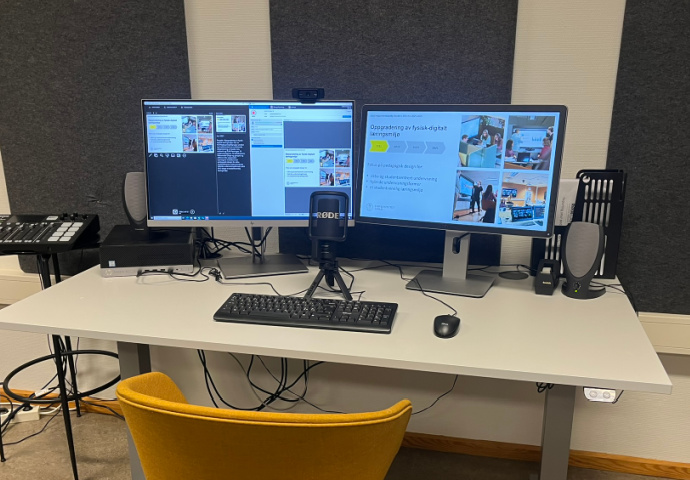
You can use UV’s own media studio – Studio U29 – for recording.
How to get access to Studio U29
Good audio is important!
Good audio is important for making a good video. If you are not using Studio U29 for recording, we recommend that you borrow a microphone from IDEA.
Recommended method: video recording in Panopto
Panopto is a tool for recording, uploading, editing, storing, and playing video in the cloud. Panopto can also be used for automatic captioning with UiO Autotekst.
All employees at UiO have access to store video in Panopto in their own folder (My Folder).
Video recording in Zoom or Teams
Zoom is a tool that is also well suited for creating teaching videos, and works very well if you want to record a conversation between several people.
When you record a meeting or conversation in Zoom, two different media files are produced from the recording. You get both a video file (.mp4) and an audio file (.m4a). This means that you can record both video and podcast in Zoom.
If you have made a video, you can upload the video file to Panopto afterwards to edit and auto-caption the video.
UiO IT has created its own guide for recording video in Zoom.
You can also use Teams to make recordings. Then you start a call with yourself, and the video recording is saved in the chat.