Make use of the teaching rooms
The teaching rooms in Helga Eng’s building facilitate student-centered learning, hybrid teaching, collaboration, and digital learning activities. On this page, we have gathered our best tips for making use of the teaching rooms.

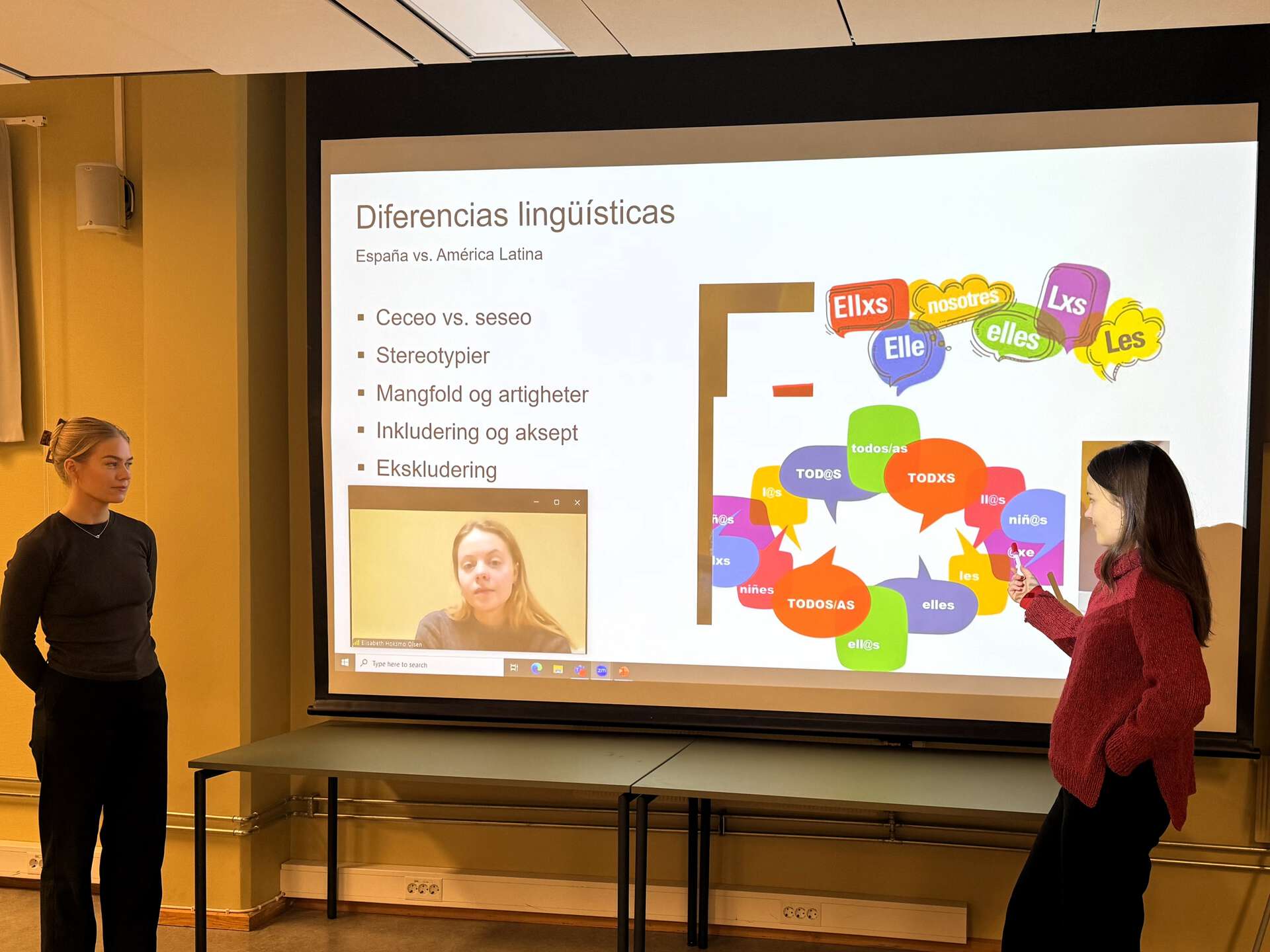
With touch, split screen, camera and microphone, several people can contribute at the same time, no matter where they are. Video conferencing equipment supports hybrid teaching and presentations, and students can easily connect their own laptops or phones.
Tips for student-centered learning in the teaching rooms
Collaboration and group discussions
The screens make it easy to collaborate both physically and digitally. Connect a computer with a USB-C cable and use Zoom for hybrid group work. You can also open the start menu and select the Zoom app, if it is installed. Log in with your user account, and start or join a meeting.
Student presentations
In hybrid presentations, all students can give each other feedback, making the session flexible, inclusive, and interactive. The advantage of this setup is that physical and digital participation are treated equally, and they can present at the same time. The digital students can be shown on the big screen while they are presenting, so that everyone can see both them and the presentation.
Brainstorming
The screens have whiteboard and drawing functions, where both digital and physical students can write, draw, and contribute ideas in real time. This is done by manually starting the screen’s Whiteboard app from the start menu. You can use multiple fingers at the same time, as well as easily move, delete, or save the content.
You can also use Zoom’s digital whiteboard by connecting your own computer or by starting the Zoom app on the screen. Samtavla (Talkwall) is another alternative where students can collaborate and see the same thing during the activity.
Quizzes and evaluations
Quizzes or Mentimeter are a fun and engaging way to learn. Here, students can give and receive feedback in real time.