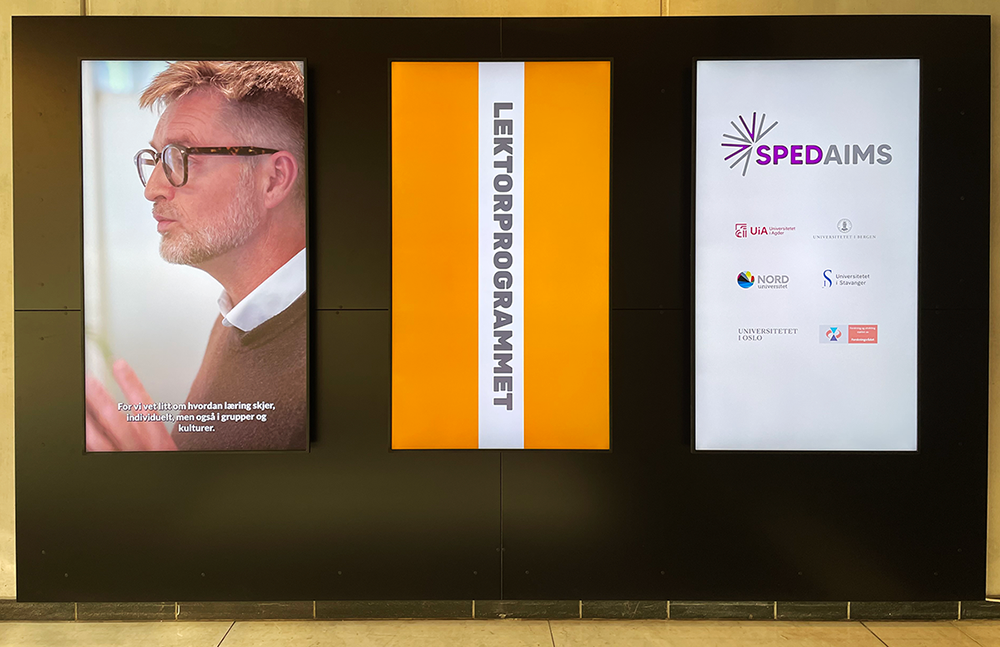
Requests for content you would like to have displayed on the information screens must be submitted via this online form. Please do so well in advance of the desired publication date, so that the faculty can process the request in time – at least 5 working days in advance.
Specify the dates during which you would like the notice to be displayed, but please note that if many people request advertising during the same period, different display times may be assigned than those requested. The duration of published content on the screens is generally limited to a maximum of 7 days.
Editorial guidelines
- Anyone wishing to display content on an information screen must create the content themselves.
- The content must be in line with UiO’s core values.
- The organiser must be UiO, a UiO unit or a student association. During periods of high activity, we prioritise units/associations affiliated with the faculty.
- The content should primarily be aimed at the faculty’s students or staff.
- What can you advertise? (the list is not exhaustive)
- You may advertise services and offers aimed at a broader audience and that, in principle, are available to everyone (there are some exceptions, which we assess on an ongoing basis).
- Closed events may not be advertised. The exception is events in the large auditoriums with many participants, where the purpose is to direct a larger audience to the correct venue. Requests concerning smaller but open events will be assessed on an ongoing basis.
- Content may not be offensive, promote commercial services, or appear to advertise a partner, co-organiser or product. Sponsors and partners may be made visible or thanked in connection with the activity they support. This must be done in a way that does not distract from or draw attention away from the message and sender. A logo may for example be placed at the bottom of the screen.
- Content may not conflict with Guidelines for AI-generated content on UiO’s digital channels (UiO.no)
- Content may not promote political parties or matters.
- Content may not depict alcohol or imply alcohol consumption.
- The duration of published content on the screens is generally limited to a maximum of 7 days.
- Remember! Make sure to include the organiser, date, start and end times, and venue of the event you are promoting. This applies even if you use a QR code.
- Tip! A poster will be displayed for 7 seconds. Therefore, include only the essential information and use as little text as possible. Focus on catching people’s attention as they pass by (while remaining factual). Feel free to use an illustrative image, etc.
Technical requirements for content
Horizontal screens
- The screens can display both images and video(s)
- File format must be:
- Images: .jpg or .png
- Video: .mp4 or .mov
- Size/pixel dimensions:
- The resolution must be 1920 x 1080 pixels (16:9).
- Videos should not be longer than 7 seconds and may have a maximum duration of 15 seconds. Too much movement in the image may be visually distracting. Videos must be without sound.
- File name
- Create a short file name that identifies a) the unit/association, b) the activity/event, and c) the file format. For example "student-association-orientation-week-horizontal.jpg".
Vertical screens
Applies to the three large screens at the entrance in the foyer.
- The screens can display both images and video
- File format must be:
- Images: .jpg or .png
- Video: .mp4 or .mov
- Size/pixel dimensions:
- The resolution must be 1080 x 1920 pixels (9:16)
- Videos should not be longer than 7 seconds and may have a maximum duration of 15 seconds. Too much movement in the image may be visually distracting. Videos must be without sound.
- File name
- Create a short file name that identifies a) the unit/association, b) the activity/event, and c) the file format. For example "student-association-orientation-week-vertical.jpg"
Access to software
As a student, you have access to software for, among other things, image editing if you do not have this on your own computer.
Privacy
If you wish to use content depicting people on the digital screens, you must have consent from those depicted. This generally does not apply to purchased image and video material from professional suppliers, but it does apply when you take photos or record videos yourself.
Read more about sharing images and consent (datatilsynet.no, in Norweigan only)
Placing an order
Read the information above before placing an order.
If you have any questions or good ideas, contact us by email.
The Dean of the Faculty of Educational Sciences is the editor responsible.